|
|
本帖最後由 Elamigo 於 2026-5-28 21:13 編輯
Ha!!
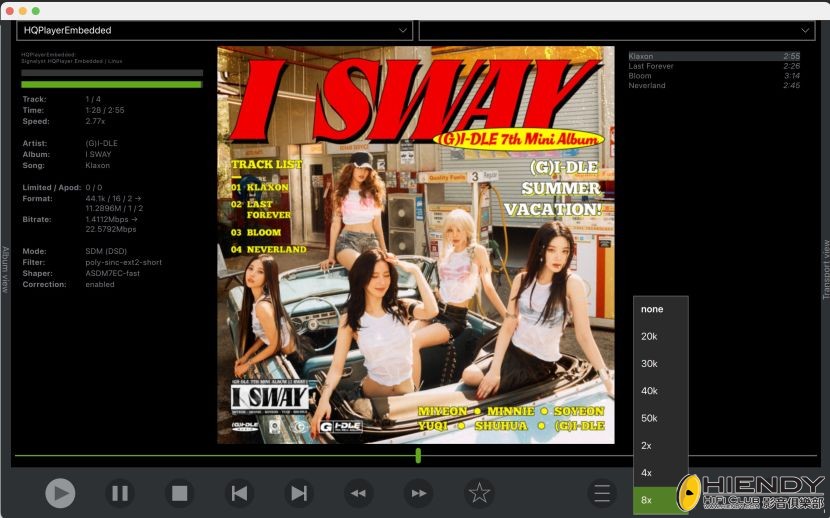
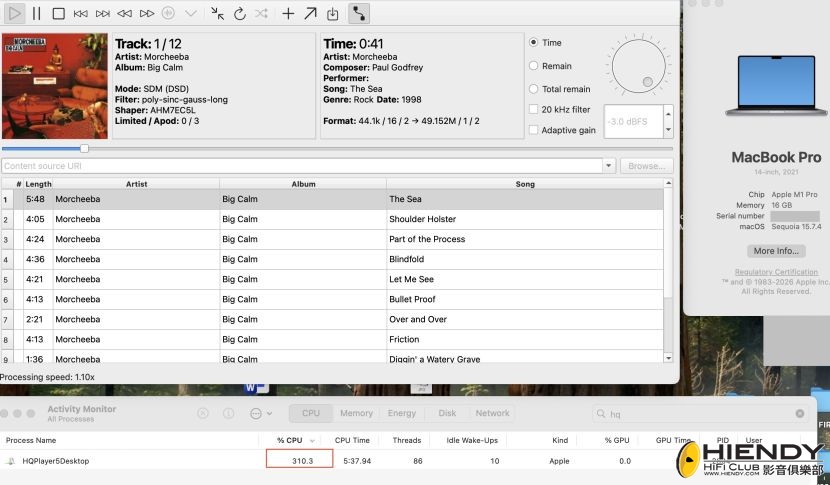
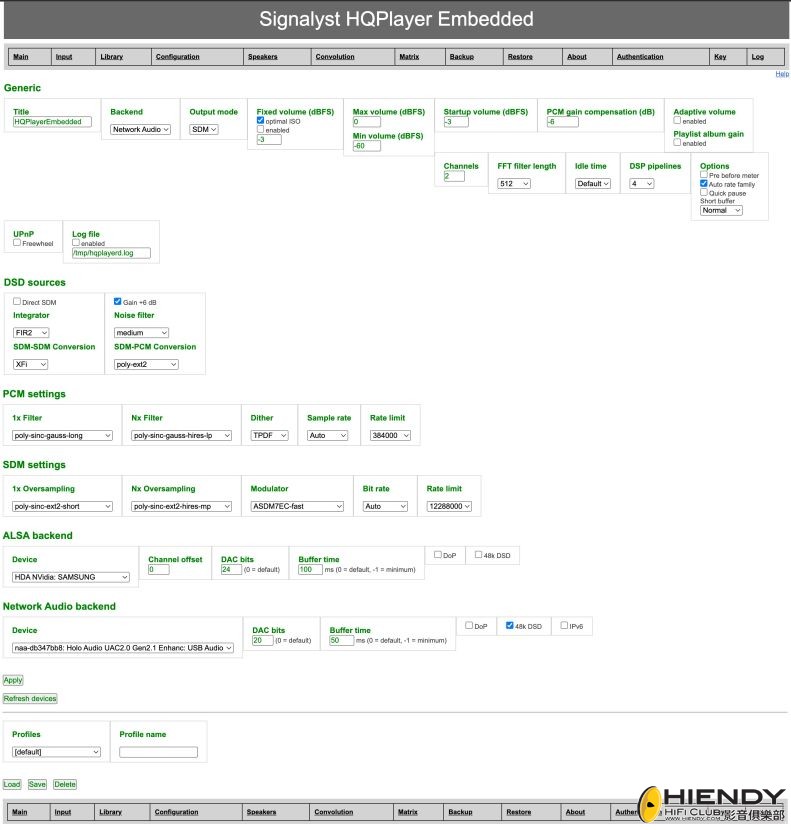
Let me do the best I can. The main parts you want to understang is the Configuration page were most of the settings are made.
You can see also at top right corner the Help link. Here you will get all the manual info to understand every aspect of the interface, that it might look complex, but in the end is not that complicated.
The current window starting from top (Will Bold the ones to look on, more important)
Title:HQplayerEmbedded <- you can change to Johns Music Server for example
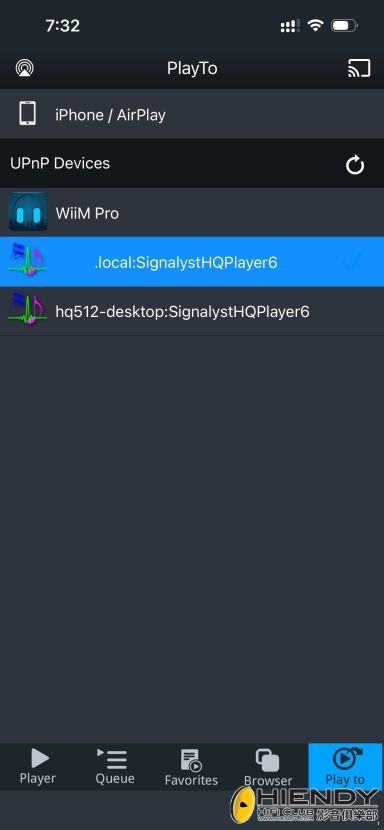
Backend: my settings using NAA (Network Audio) to communicate from HQplayer to the DAC. (Very important to listend to the DAC)
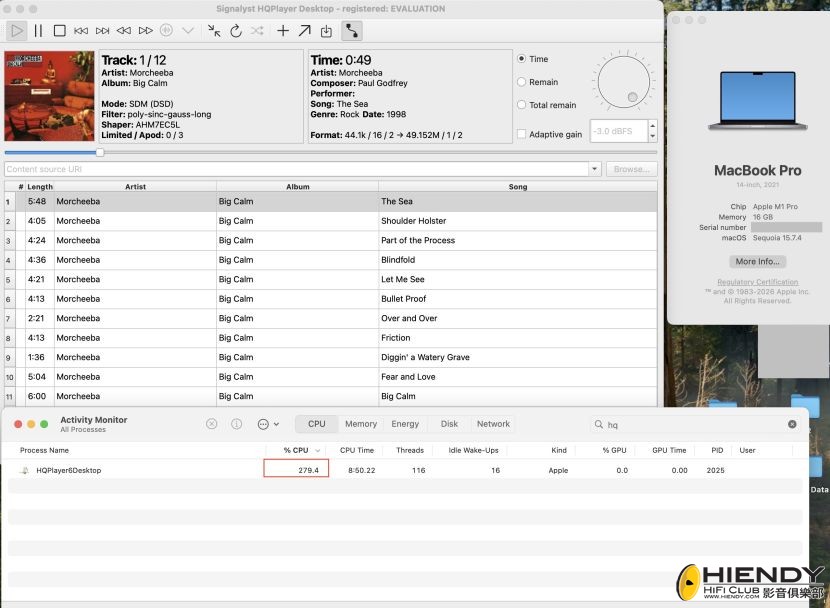
Output: I'm using DSD now, so you select SDM (Sigma Delta Modulator)
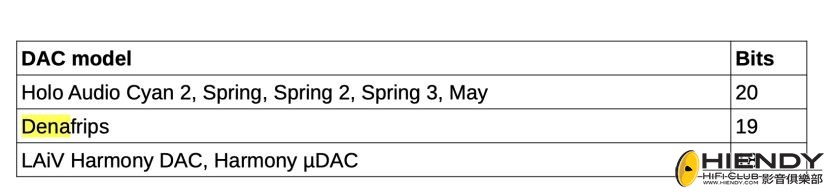
Fixed volume (dBS): You can look at the manual, recommended -3 or Optimal ISO from the audio Metadata
Max volume
Sets maximum level of volume control range.
Min volume
Sets minimum level of volume control range.
Startup volume
When volume control is variable, this specifies the default volume setting at startup time. Recommended -3
PCM gain compensation
Due to nature of DSD, many DACs have different output levels for 0 dBFS PCM vs 0 dB DSD. PCM gain compensation can be used to compensate for this level difference.
Holo Spring 3 recommends -6
Channels: My DAC can do only 2
FFT filter length
This option specifies length of the FFT filter, per each 2x cascade. Default value is 512. Thus the length is conversion rate invariant. Length affects steepness of the filter, shorter lengths result in slower (gentler) roll-off, while higher lengths result in faster (steeper) roll-off.
Idle time
Adjust amount of time engine is allowed to run idling before stopping, once playback has ended. Restarting playback from idle is faster than from stopped state.
DSP pipelines
Number of DSP pipelines to allocate. Minimum required number of DSP pipelines is maximum number of input or output channels. Or number of matrix pipelines in use. (Dont use more than 4 if no need to)
Options
Pre before meter performs pre-process functions beforing metering. By default these are performed after metering. This allows one to see effect of for example 20 kHz filter in Client, but it also makes harder to recognize when the filter should be turned off.
Auto rate family switches output sampling rate based on source material such way that both source and output rate have a common base rate. For example 44.1 kHz or 48 kHz. (look if your DAC plays 44.1 or 48 KHz)
Quick pause uses simple silence pattern for faster pause response, but increased likelihood of audible glitches when pause is toggled.
Short buffer adjusts FIFO buffer length allowing to balance between playback delay and safety against drop-outs. Shorter the FIFO buffer, more likely it is to experience drop- outs. Short option uses half length FIFO buffer for audio for faster control responses, but increased risk of drop-outs. Minimal option keeps minimum possible amount of data in FIFO buffer, but this also makes overall system sensitive to drop-outs.
UPnP
Freewheel immediately fetches entire track to RAM at full speed, when possible. This works only for tracks of known size and cannot work for "endless" realtime streams. May also cause issues with gapless playback due to the sudden traffic spike.
Log file
Log output can be enabled for troubleshooting purposes and the location can be specified.
DSD sources
This group controls settings that may be relevant when source format it DSD. Depending on cases described below.
Direct SDM
When Direct SDM is enabled and DAC supports DSD input, DSD sources go through bit-perfect when output mode is SDM. When Direct SDM is disabled and output mode is SDM, Integrator and SDM-SDM Conversion parameters apply. When output mode is PCM, Gain +6 dB, SDM-PCM Conversion and Noise filter parameters apply. Note! When Direct SDM is enabled, volume control is set to fixed -3.5 dB value also for PCM sources when output mode is set to SDM to avoid sudden jumps in volume at format changing track transition.
Integrator
Selects integrator structure type for the SDM remodulation loop.
SDM-SDM Conversion
Selects rate conversion algorithm type for SDM-to-SDM rate conversions. Difference between different algorithms is in ultrasonic frequency response.
Gain +6 dB
For DSD, 0 dB reference level is defined to be 6 dB below 100% modulation index. Specification allows exceeding this reference level up to about +3 dB for short periods. This setting applies +6 dB gain for DSD sources bringing the typical subjective level in line with PCM sources. This increases possibility for limiting, which can be countered same way as for PCM by using HQPlayer's volume control.
SDM-PCM Conversion
Rate down-conversion algorithm used for SDM-to-PCM conversions. Output PCM sampling rate of the conversion is 1/16th of the original SDM rate.
PCM settings (your settings of filters to PCM if you want this)
These settings apply only to PCM output mode.
Where description says “Only suitable for highest technical quality source materials”, it means material where Apod counter stays below 10 for the duration of entire track. Quality ratings are not absolute, but a relative guidance regarding technical quality of filter’s output vs other filters in the table.
1x Filter
Rate conversion filter applied when the source sampling rate is ≤ 50 kHz, so called "1x rate".
Nx Filter
Rate conversion filter applied when the source sampling rate is > 50 kHz, so called "2x rate" and higher.
Dither
Dither and noise-shaper used for producing samples at output sample depth (word length). Since internal processing always happens at much higher resolution than output allows, resolution needs to be limited to the actual output format in a proper way. Dithers and noise-shapers randomize quantization error (rounding or truncation) of the limited output resolution avoiding quantization distortion.
Sample rate (leave on Auto)
Fixed output sample rate to use, can be used to lock output to a single optimal sampling rate. When set to Auto, output rate is highest allowed by DAC capabilities, Rate limit setting and capabilities of the selected filter.
Rate limit (Max of your DAC)
Default preferred output rate and maximum rate for automatic selection.
SDM settings (When using DSD you use this)
These settings apply only to SDM output mode.
Where description says “Only suitable for highest technical quality source materials”, it means material where Apod counter stays below 10 for the duration of entire track. Quality ratings are not absolute, but a relative guidance regarding technical quality of filter’s output vs other filters in the table.
For poly-sinc-ext2* and poly-sinc-gauss* filter groups, processing is two stages with minimum factor of 16 before applying special second stage. If difference between source and output rates is less than 32x, operates as a single stage with only the first stage.
1x Oversampling
Oversampling filter applied for PCM sources when the source sampling rate is ≤ 50 kHz, so called "1x rate".
Nx Oversampling
Oversampling filter applied for PCM sources when the source sampling rate is > 50 kHz, so called "2x rate" and higher.
Modulator
Noise-shaping modulator to produce high rate output bit streams.
Bit rate (Use Auto)
Fixed output bit rate to use, can be used to lock output to a single optimal bit rate. When set to Auto, output rate is highest allowed by DAC capabilities, Rate limit setting and capabilities of the selected filter.
Rate limit (max of your DAC and computer CPU, SDM uses more CPU power so need to test best suitable)
Default preferred output rate and maximum rate for automatic selection.
ALSA backend If you using ALSA connection on your DAC
Settings for locally connected audio devices.
Device
Output device selection. Currently active device is shown as "Current" since it is in use at the moment. Other devices that are not busy/reserved are shown on the list.
Channel offset
For multichannel devices that expose for example multiple stereo pairs, or have separate channels for different types of output (eg. analog and S/PDIF), offset for the channels to be used is set here. For example if a device has 8 output channels (4 stereo pairs), number channels is set to 2 and output is wanted on channels 3 and 4, offset is set to 2.
DAC bits
Many audio devices claim different PCM word length than the actual D/A conversion has. For example S/PDIF interface could claim to have 32 bits while only 24 bits can be actually transmitted over S/PDIF. And a DAC at the other end of S/PDIF could be R2R design having only 16 bit word length. Since for example S/PDIF is unidirectional, it is not possible to obtain information about the connected DAC. For this reason it is important to set the actual number of bits to be used here. This defines dither / noise-shaping depth for the output. Setting value to 0 means the word length claimed by audio device should be used.
Buffer time
Size of the device driver audio buffer in milliseconds. 100 ms is good starting point for the value and there is rarely need to change this. Setting value to 0 means default buffer size.
DoP
For DSD capable devices that are not supported for native raw DSD transfer, usually support DoP method where DSD data is packed into regular looking PCM samples with special marker bytes the DAC recognizes and knows how to decode the data. Do not enable this setting if you are not sure your DAC supports DoP. If it is enabled for devices that do not support it, quiet hiss can be heard during playback.
48k DSD
Most DACs that support DSD, only support DSD at multiples of 44.1k base sampling rate. However they still likely announce support also for 48k base DSD sampling rates. This setting enables these rates, only set it if you are sure that your DAC actually supports DSD also at 48k base rates.
Network Audio backend
Settings for Network Audio Adapters (NAA).
Device (Very important, here you check your NAA connected to your DAC)
Output device selection. Currently active device is shown as "Current" since it is in use at the moment. Other devices that are not busy/reserved are shown on the list. List shows all free audio devices found in NAA's found to be available on the network. List items combine name of the NAA and audio device behind it, separated by a colon.
DAC bits (look at manual for DAC / recomendation)
Many audio devices claim different PCM word length than the actual D/A conversion has. For example S/PDIF interface could claim to have 32 bits while only 24 bits can be actually transmitted over S/PDIF. And a DAC at the other end of S/PDIF could be R2R design having only 16 bit word length. Since for example S/PDIF is unidirectional, it is not possible to obtain information about the connected DAC. For this reason it is important to set the actual number of bits to be used here. This defines dither / noise-shaping depth for the output. Setting value to 0 means the word length claimed by audio device should be used.
Buffer time (helps when using demanding modulators to reduce gaps when playing music)
Size of the device driver audio buffer in milliseconds. Setting value to 0 means default buffer size. Always use default buffer size, unless you have a strong reason to do otherwise.
DoP (depends on your DAC and connection)
For DSD capable devices that are not supported for native raw DSD transfer, usually support DoP method where DSD data is packed into regular looking PCM samples with special marker bytes the DAC recognizes and knows how to decode the data. Do not enable this setting if you are not sure your DAC supports DoP. If it is enabled for devices that do not support it, quiet hiss can be heard during playback.
48k DSD (depends on your DAC)
Most DACs that support DSD, only support DSD at multiples of 44.1k base sampling rate. However they still likely announce support also for 48k base DSD sampling rates. This setting enables these rates, only set it if you are sure that your DAC actually supports DSD also at 48k base rates.
IPv6
Enable/disable IPv6 support. In most cases can be safely left enabled. When IPv6 support is enabled, devices having only IPv4 connectivity can be still found and used. When IPv6 support is enabled, network is used in dual stack mode with support for both IPv4 and IPv6 simultaneously. NAA discovery usually works more reliably when IPv6 support is enabled. IPv6 supports auto-configuration for local networks.
Other sections we can look later! But this is one is the core
|
-
configuration
評分
-
2
查看全部評分
-
|




 IP卡
IP卡 狗仔卡
狗仔卡
 發表於
發表於 


 提升卡
提升卡 置頂卡
置頂卡 沉默卡
沉默卡 喧囂卡
喧囂卡 變色卡
變色卡 顯身卡
顯身卡